Page 1 of 1
Interface Improvements in upcoming v11.0: Product Icons for Firms
Posted: Fri Aug 23, 2024 1:12 pm
by David
Interface Improvements in the upcoming v11.0:
The Firm List in the Information Center now shows the images of the products that each firm handles, for the majority of firm types, providing a visual representation of each firm's specialty and giving you a better understanding of their focus.
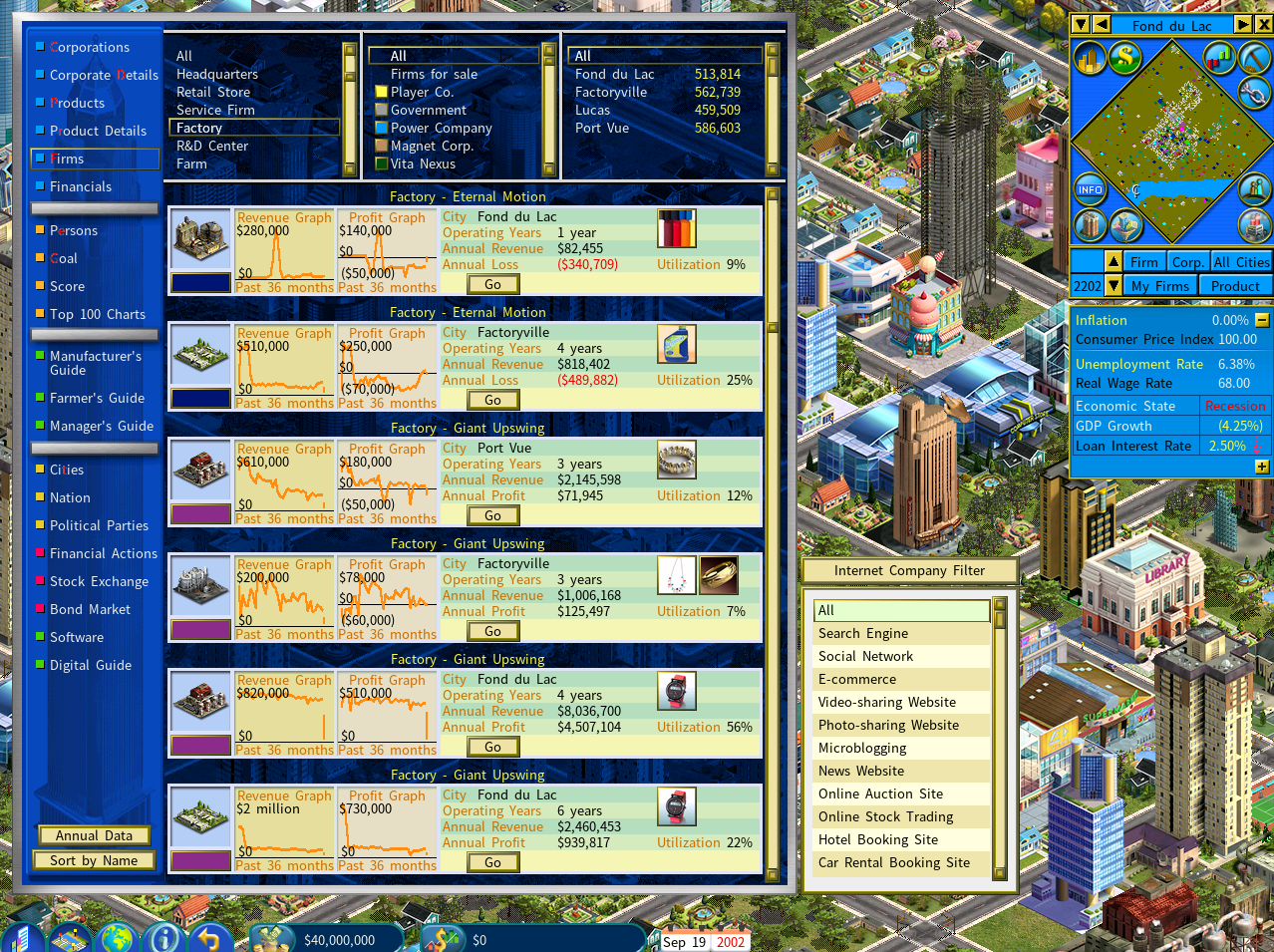
- firm-list-icon-1.png (1.22 MiB) Viewed 3452 times
Improved the visual quality of small product icons on the city map (when the display mode is toggled to display product icons from factories and other types of firms on the city map.)
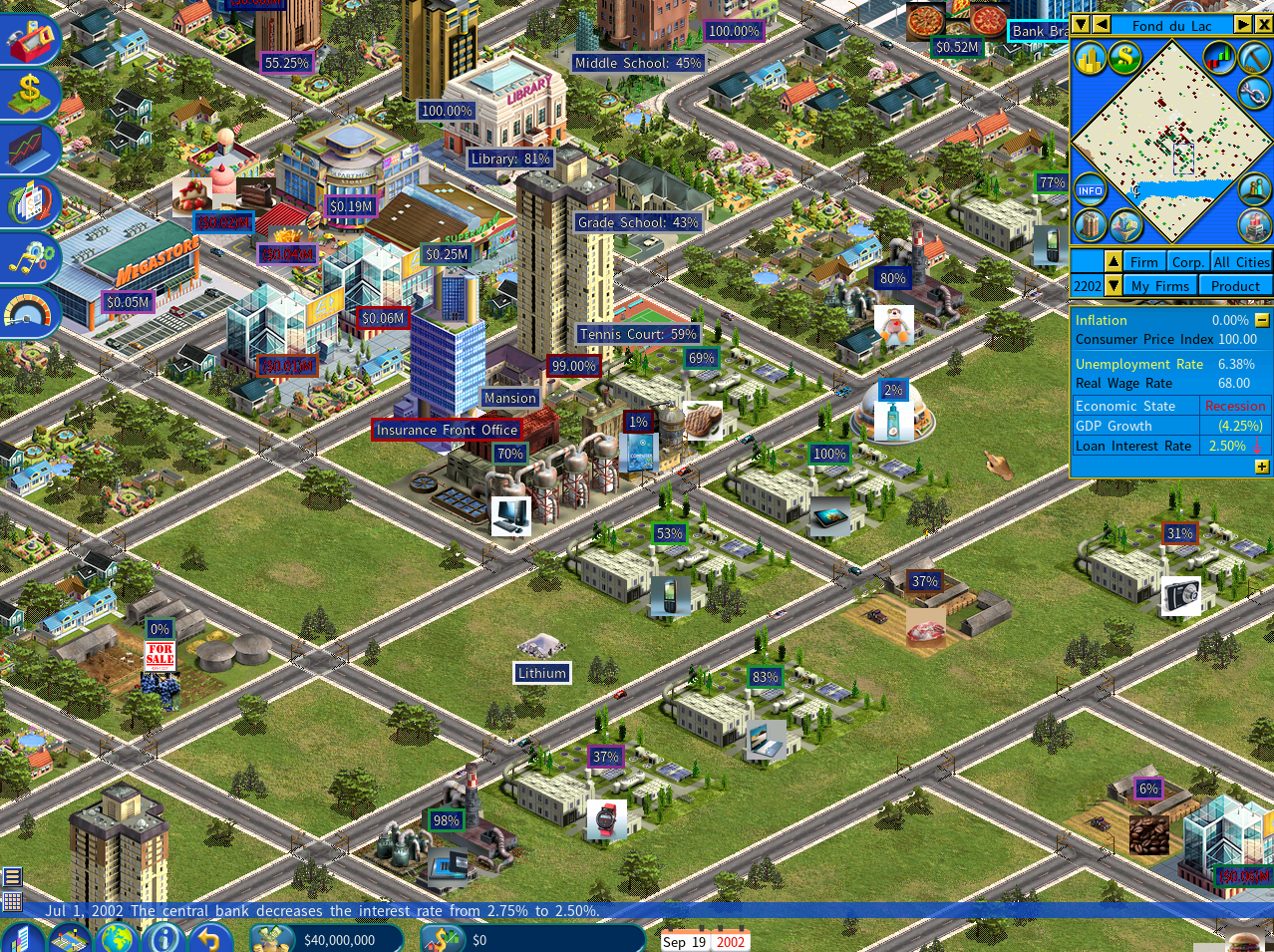
- firm-info-in-city.png (2.15 MiB) Viewed 3452 times
Re: Interface Improvements in upcoming v11.0: Product Icons for Firms
Posted: Sat Aug 24, 2024 3:18 am
by Stylesjl
That's quite interesting (I assume that it is disabled for competitor firms if trade secrets = off).
I did notice that it looks a bit visually jarring in the case of the icon on the map. I'm not really sure though how it can be avoided without altering all of the product images.
Re: Interface Improvements in upcoming v11.0: Product Icons for Firms
Posted: Sat Aug 24, 2024 8:41 am
by David
Stylesjl wrote: Sat Aug 24, 2024 3:18 am
I did notice that it looks a bit visually jarring in the case of the icon on the map. I'm not really sure though how it can be avoided without altering all of the product images.
This issue that the product icons on the map appear visually jarring will be resolved in the new version, which uses pre-made small versions of product images that were scaled using a graphic tool, resulting in a better appearance.
The current version's icons were scaled down in-game using a simple algorithm, which caused the visual jarring. To improve this, we will include a batch file called make_small_images.BAT in the MOD kit for version 11.0, located in the \MOD_kit\Images\Products folder. This file allows you to batch produce small images based on the standard images.
Here's what the make_small_images.BAT file looks like:
rem make smaller versions of the product images and save them in \small
rem smaller versions of the product images are displayed in various places in the game. For example, factories in the Firm Summary report showing the products they produce
rem you can download the magick app that this batch file runs from https://www.imagemagick.org/
del small\*.png
magick mogrify -format png -define png:color-type=2 -resize 40x40! -path small *.png
Re: Interface Improvements in upcoming v11.0: Product Icons for Firms
Posted: Fri Sep 27, 2024 5:45 pm
by cantdownloadit
you can also use
https://learn.microsoft.com/en-us/windows/powertoys/ the powertoys if your on windows, you can just paste the images to the new folder, select, right click resize, choose 40x40 and tick replace.