Page 1 of 3
Re: Custom Regional Map
Posted: Sat Jan 11, 2025 3:58 pm
by piermario
Edited by David:
This thread focuses on the Custom Maps feature in the City Economic Simulation DLC.
The content was originally posted in the closed‑beta forum and has been copied here so all Capitalism Lab players can access it.
Inside this topic, you’ll find custom map attachment files as well as discussions on how to create and generate custom maps.
For additional details on importing custom regional maps, visit:
https://www.capitalismlab.com/importing ... onal-maps/
--------------------------------------------------------------------------------------
The following is the original post:
Hi David i generate Europe map and it's ok but if i download it without script it works ok but with fictional cities, if i download it with script, the map is random but the cities are ok.
See attached files
Thanks
P.
Re: Custom Regional Map Error
Posted: Sun Jan 12, 2025 4:20 am
by David
piermario wrote: Sat Jan 11, 2025 3:58 pm
Hi David i generate Europe map and it's ok but if i download it without script it works ok but with fictional cities, if i download it with script, the map is random but the cities are ok.
Please add the following line to your script:
[CITY ECONOMIC SIMULATION DLC]
Regional Map=Europe
By the way, the Europe map you created looks very good. Would you share the method you used for creating it? Did you just use the tools from the Height Map Editor HME and manually craft the map to the shape of Europe, or a different method?
Re: Custom Regional Map Error
Posted: Sun Jan 12, 2025 6:51 am
by piermario
David wrote: Sun Jan 12, 2025 4:20 am
Please add the following line to your script:
[CITY ECONOMIC SIMULATION DLC]
Regional Map=Europe
Thanks David,
Now cities are in correct Europe map but in random places even i set right X and Y coordinates.
My step to step method i used:
found a europe map in internet with sea and mountains,
resized in photoshop,
exported in bmp 24 bit,
imported in HME,
changed some colors and mountains with this tool
export and import in cap lab
Re: Custom Regional Map Error
Posted: Sun Jan 12, 2025 9:30 am
by Stylesjl
piermario wrote: Sun Jan 12, 2025 6:51 am
David wrote: Sun Jan 12, 2025 4:20 am
Please add the following line to your script:
[CITY ECONOMIC SIMULATION DLC]
Regional Map=Europe
Thanks David,
Now cities are in correct Europe map but in random places even i set right X and Y coordinates.
My step to step method i used:
found a europe map in internet with sea and mountains,
resized in photoshop,
exported in bmp 24 bit,
imported in HME,
changed some colors and mountains with this tool
export and import in cap lab
Oddly enough I tried this but I can't get it to work. Did you use the Height Map Generator to do the conversion?
https://hme.sourceforge.net/
Reason I ask is that any BMP file of any kind I try to load crashes the program. I must be missing something somewhere.
Edit: It might just something on my computer. Can you get the following BMP file to import at all or does it crash the program?
Re: Custom Regional Map Error
Posted: Sun Jan 12, 2025 11:22 am
by piermario
Here's Australia.hme file
ciao
P.
Re: Custom Regional Map Error
Posted: Sun Jan 12, 2025 5:03 pm
by anjali
piermario wrote: Sun Jan 12, 2025 11:22 am
Here's Australia.hme file
ciao
P.
great job on the maps, working myself on america, quite a hard job with this editor
/edit
southamerica is kinda ready still need to flatten a bit terrain manually to make capilabs except more building land as plenty terrain is taken as water by CapiLab as shown below,and move the andes a bit to make space for towns on the west coast. once ready i ll post the map here too
Re: Custom Regional Map Error
Posted: Sun Jan 12, 2025 10:31 pm
by anjali
its another pain in the ass thingy, HME often crashes on import bmp, and then capiLaps interprets the map completely different anyway i have a usable southamerica map with 15+ location, had to stretch the continent a little east/west to get enough space for cities, still need to fine tune it for the future but most large cities can be placed temporarely on below locations until i made the more accurate positions available for a city placement but below some possible locations with x/y cords
9/5 Asuncion
12 / 6 Rio de Janeiro
15/5 Salvador
9/8 Buenos Aires (need to work a bit to move it a bit south to 10/9
10/8 Montevideo (same here need to work on map tp move to east onto 11/8)
5/12 Puerto Natales
7/8 Santiago
8/7 La Paz
4/3 Guayaquil
Lima dont have proper place let
6/3 Coca
7/3 Iquitos
6/1 Medellin
6/2 Bogota
9/1 Coro
11/2 Caracas
12/3 Belem
the europe map from Piermario i did try a game on, he got to work on that as i only found 2 possible city location deep in russia next to eachother, remaining map cant fit a city anywhere
Re: Custom Regional Map Error
Posted: Tue Jan 14, 2025 6:31 am
by David
anjali wrote: Sun Jan 12, 2025 10:31 pm
its another pain in the ass thingy, HME often crashes on import bmp, and then capiLaps interprets the map completely different anyway i have a usable southamerica map with 15+ location, had to stretch the continent a little east/west to get enough space for cities, still need to fine tune it for the future but most large cities can be placed temporarely on below locations until i made the more accurate positions available for a city placement but below some possible locations with x/y cords
Please try the latest version 11.1.01. The following change should address this issue:
Looser checking for custom cities on the reginal map. It will only check if the location is sea, if it is not >= sea, then it can be built on any land, including hill.
Re: Custom Regional Map Error
Posted: Tue Jan 14, 2025 6:34 am
by David
piermario wrote: Sun Jan 12, 2025 6:51 am
My step to step method i used:
found a europe map in internet with sea and mountains,
resized in photoshop,
exported in bmp 24 bit,
imported in HME,
changed some colors and mountains with this tool
export and import in cap lab
I've added your method to the article:
https://www.capitalismlab.com/importing ... onal-maps/
It will help other users who are interested in exporting real maps for CapLab.
I've tested your map and script with the latest version 11.1.01 and they work well - the cities appear on the correct positions on the map.
The new version 11.1.01 allows you to include the map scripts with your mod so that users of your mod can easily load maps that come with your mod. You can see the details in the article:
https://www.capitalismlab.com/importing ... onal-maps/ (scroll to the bottom of the article to see it.)
I also included your Europe map script as an example.
Re: Custom Regional Map Error
Posted: Tue Jan 14, 2025 8:41 pm
by alpha117
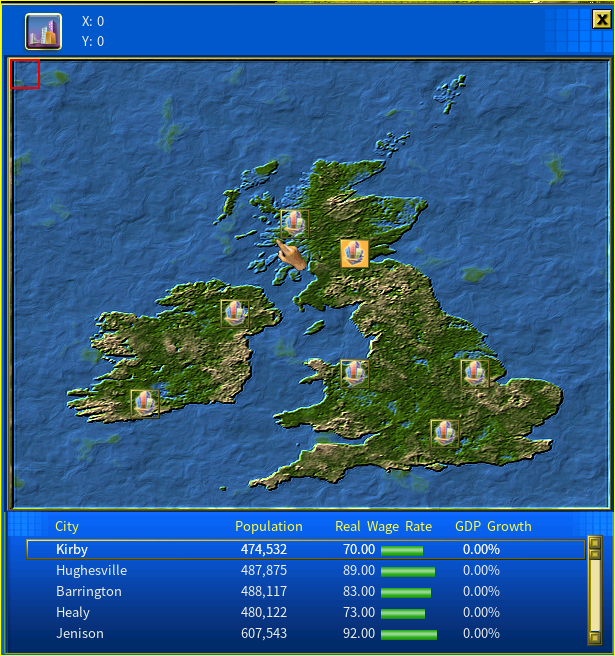
UK Map