Screen Resolution Low Game Crash - Beta 1.940

Post a reply

Confirmation code
Enter the code exactly as it appears. All letters are case insensitive.
Smilies
:D :) ;) :( :o :shock: :? 8-) :lol: :x :P :oops: :cry: :evil: :twisted: :roll: :!: :?: :idea: :arrow: :| :mrgreen: :geek: :ugeek:

BBCode is ON
[img] is ON
[url] is ON
Smilies are ON

Topic review
   

Expand view Topic review: Screen Resolution Low Game Crash - Beta 1.940

Re: Screen Resolution Low Game Crash - Beta 1.940

by David » Sat Aug 25, 2012 4:33 am

r3b3l wrote:ah i see thanks. Let me check quick, if the issue still exists.
yes, it got updated to 1.943 but I still get a blank screen with music playing the same one pasted here :/
Did you run the game in Windows 7 (normal mode, not VM mode) ? Please also let me know your screen resolution.

Re: Screen Resolution Low Game Crash - Beta 1.940

by r3b3l » Sat Aug 25, 2012 12:27 am

ah i see thanks. Let me check quick, if the issue still exists.
yes, it got updated to 1.943 but I still get a blank screen with music playing the same one pasted here :/

Re: Screen Resolution Low Game Crash - Beta 1.940

by Purifier » Sat Aug 25, 2012 12:25 am

@ r3b3l; latest patch is 1.943

If you have installed the full installtion of 1.941 the game will update to the next patch everytime you start it:

so 1.941 -> 1.942, then restart the game and it will update to the latest 1.943.

You can always check ingame which version you have, it is displayed in the top right of the main menu.

Re: Screen Resolution Low Game Crash - Beta 1.940

by r3b3l » Sat Aug 25, 2012 12:15 am

how are the patches numbered .x43 is latest or .x40 ?

Re: Screen Resolution Low Game Crash - Beta 1.940

by David » Fri Aug 24, 2012 7:21 am

This bug will be fixed in patch 1.941

Screen Resolution Low Game Crash - Beta 1.940

by Truefight » Thu Aug 23, 2012 5:11 pm

Hello,

I am new to the beta, not sure if you are aware of the "desktop screen low resolution error". Version Beta 1.940

Steps to game crash error.

1) Set Desktop Resolution on Operating System to 1024x768
2) Start Game(Fresh Install) - Previously set to smallest full screen display
3) Set Game to Windowed at 1280X960
4) Hit apply and watch game crash

If you try to start game again it puts you into a loop of game crash error. See the attachment picture.
Setting your computer to a higher resolution allows game to boot, but if computer cannot display the loop would be endless until a fresh install.
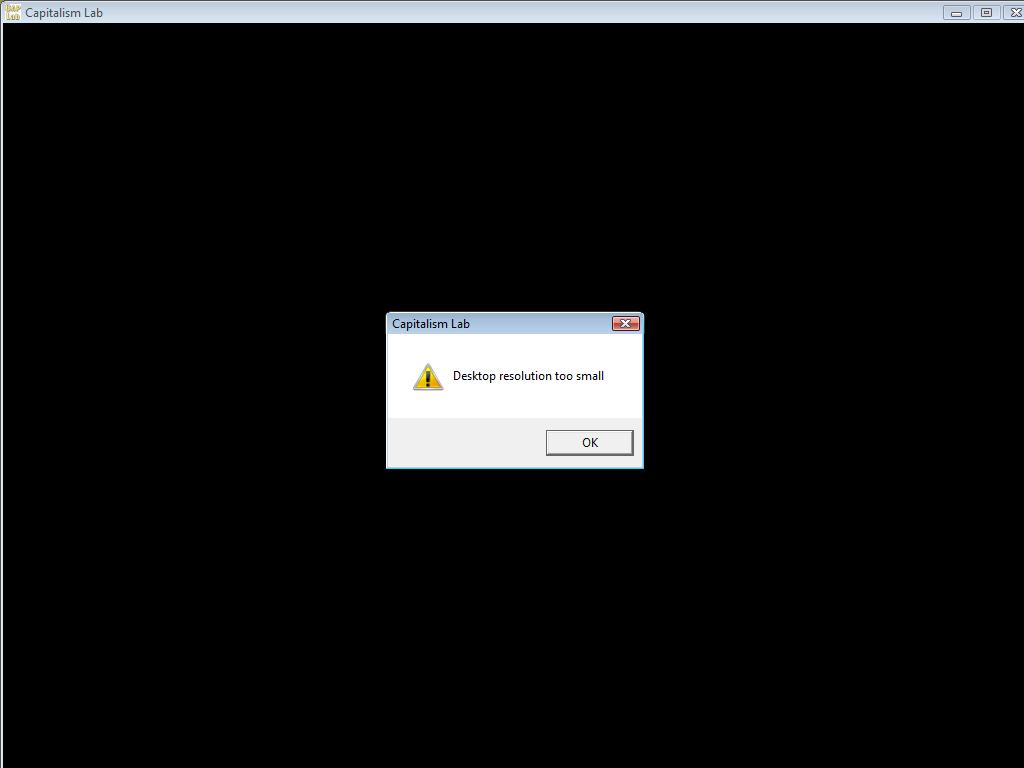
Show Error Message of Desktop Screen Resolution too small
DesktopScreenResTooLow.jpg (25.05 KiB) Viewed 1196 times

Top